 By
By 
Hey friends, you can now unlock Wicked Cool Toys Teddy Ruxpin with a web-based tool or a simple app. I’m really happy to share this one with the Teddy Ruxpin community. I know there are a lot of people out there who truly love Teddy (even the Wicked Cool Toys version) and want to keep this sundowning edition of the toy alive for many more years.
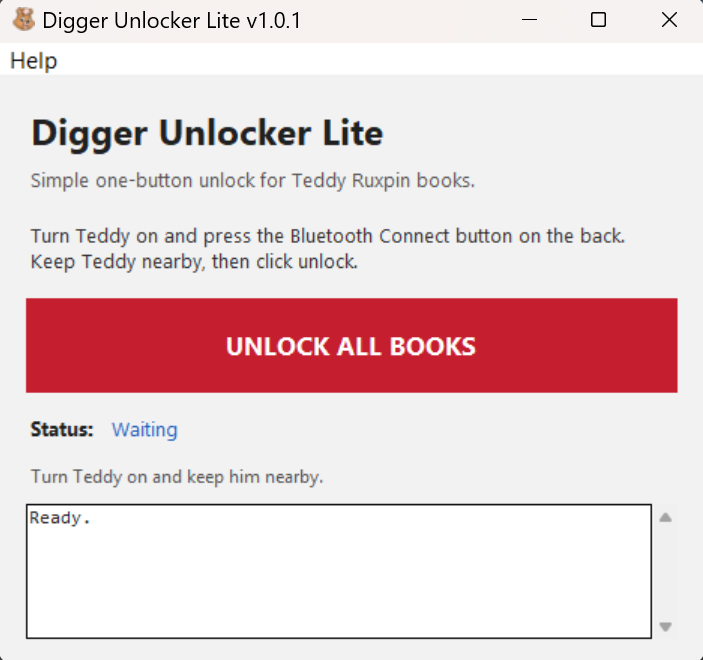
Download Windows App:
https://www.patreon.com/Bognostrocleetus/posts/free-download-160987382
Web-based Unlocker:
https://landofgrundo.com/diggerlite-web-now-available/
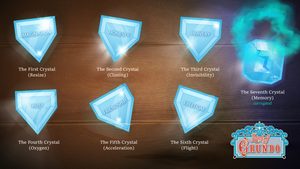
Special shoutout to our friend TRVR for helping out with excellent graphics and logo for this project!
Special THANK YOU goes to @Zenofex and the #Exploitee.rs, and Amir Etemadieh / Zenofex, Erin St. Blaine @adafruitand, and InfoconDB of the Exploitee.rs, Ryan Smith, everyone involved with DEFCON26 that brought us this wealth of knowledge that helped put together this community project.
Digger Project FAQ
- How did you open the Teddy Ruxpin files?
The 2017 Teddy Ruxpin stores its book content in .bin files. I created a program that inspects the files, identifies internal records, and extracts pieces like eye sprites, audio blocks, and animation timing data into editable formats. Digger exists because people before us asked great questions and shared what they learned. I’m trying to help others do the same. - How did you change the eyes?
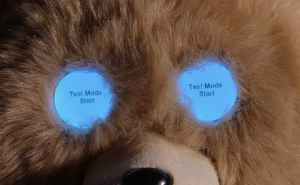
The eye graphics are stored as small animation frames inside the story BIN files. My program can extract those frames as PNG images, recolor or replace them, then patch the changed frames back into a new BIN. - How did you make Teddy’s eyes a custom color?
My program Digger lets users choose a new eye color and applies it while protecting special artwork like rainbows, flowers, fireworks, highlights, outlines, and other decorative animations. - Did you really make Teddy play custom video in his eyes?
Yes, in a limited but very fun way. The Digger Video Eye Wizard converts a normal video into Teddy’s left and right eye frames. It basically span still frames extracted from video files across the available animation space in the BIN using existing files as templates, converts the audio to binary and creates custom BIN files to play on TR. This is still experimental, but it’s one of the most exciting parts of the project. - Can I replace Teddy’s audio?
Yes, with some limits once the project is released. The safest method is replacing Teddy’s decoded audio records with WAV files that match the original lengths. Digger uses the discovered AU32/audio structures to decode and encode Teddy-compatible sound. - Can I make completely new stories?
That is the long-term dream. Digger can already edit markers, eye animation, audio, and some story behavior, but a fully custom story has to respect Teddy’s original file schema, timing tables, audio records, and animation limits so I haven’t conquered the entire mountain yet. Every update is another step toward making Teddy easier for regular fans to customize. - What is Digger Unlocker Lite?
DiggerLite is a simple freeware Windows or Mobile tool that connects to Teddy by Bluetooth and unlocks all available books with one button. I made DiggerLite as a community-friendly tool. It’s freeware because we love Teddy Ruxpin and want more fans to enjoy the full library. - Is Digger official Teddy Ruxpin software?
No. Digger is an independent fan/community project. It is not affiliated with, endorsed by, sponsored by, or connected to Alchemy II, Inc., Wicked Cool Toys, LLC, or any official Teddy Ruxpin rights holder. - Can this damage my Teddy?
No but any modification tool should be used carefully. Digger is built with safety in mind, but users should always back up Teddy’s USB files before editing or transferring modified BINs. - Why are you making these tools?
Because I love Teddy Ruxpin, vintage toy restoration, preservation, and creative modding. Digger is meant to help fans, collectors, cosplayers, and tinkerers explore what Teddy can do, and create entirely new things with hardware they already own.
Created by Bognostrocleetus. If Digger helped you, please consider supporting the project on Patreon and following on YouTube.
Patreon:
https://www.patreon.com/c/Bognostrocleetus
YouTube:
https://www.youtube.com/@bognostrocleetus

 By
By